The short answer
A useful custom WordPress budget combines the one-time work to plan, build and launch the site with the recurring costs to operate and improve it. Important scope differences include what the site must do, how its content and data are organized, which systems it connects, and who owns delivery. Ask agencies to price the same scope and name their assumptions; a page count alone cannot make quotes comparable.
Define the business job before requesting a price
This guide is for an established business commissioning a custom WordPress website: a site that supports inquiries, commerce, multiple services or an operational workflow. Its budget needs to describe the work behind that outcome. A hosting subscription, theme license or page-building tool is only one possible input.
Start with three customer tasks and the problems preventing them. A manufacturer may need buyers to find a compatible product, explain an application and reach the right sales team. A retailer may need consistent product information, an accurate order journey and an easier way for staff to publish changes. Those are different projects even if their navigation has the same number of links.
Also name what already works. Useful content, search visibility, an established CRM process and reusable page layouts may deserve to stay. If the need is concentrated in a few areas, compare a focused improvement with a full rebuild. Our redesign-or-improve guide helps frame that decision before it becomes a budget assumption.
Break the estimate into work you can inspect
Ask for deliverables and acceptance conditions, not just labels such as strategy, design and development. “Build the contact form” is incomplete if nobody has included its CRM destination, owner assignment or failure handling.
Use the following work breakdown to find omissions. Some activities can be combined in a proposal; each still needs a responsible party and an explanation of what completion means.
| Work area | What the estimate should identify |
|---|---|
| Discovery and structure | Customer tasks, requirements, systems, content types, priorities and unresolved decisions. |
| Content | Pages and assets to retain, rewrite, create or move; authors and business approvers. |
| Design | Page types, reusable components, mobile behavior and agreed review rounds. |
| Development | WordPress editing experience, functionality, integrations and environments. |
| Verification | Important customer journeys, accessibility checks, device coverage and acceptance evidence. |
| Launch and handover | URL continuity, release responsibilities, recovery plan, documentation and staff training. |
| Ongoing ownership | Updates, recurring improvements, licenses, providers and the scope of post-launch help. |
Count different requirements, not just different URLs
Fifty pages using a few well-defined layouts can involve different work from ten pages with unrelated structures and special behaviors. Ask how many distinct page types and reusable components the estimate includes. A product directory, resource library, location finder and ordinary service page have different editing and testing needs.
WordPress can register custom content types in addition to its built-in types. That is a platform capability, not a recommendation that every site needs custom development. The WordPress developer documentation explains the mechanism. Your budgeting question is what staff must maintain, where the information belongs and whether existing tools support that workflow cleanly.
A location page illustrates the distinction. A fixed design might be enough for one office. A growing network may need shared fields for hours, directions, local services and contact details, plus an agreed way to handle exceptions. Budget for the editing system and representative exceptions, not only the first attractive page.
Ask what happens when a new location, product family or service is added. If routine growth requires a developer to duplicate and repair layouts, include that ongoing dependency in the comparison. If an editor can manage it, include the work to build, document and test that editing experience.
Describe integrations and commerce in operational terms
“Connect the CRM” can mean sending a form notification, creating a contact, creating an inquiry record, assigning an owner or supporting a two-way synchronization. Request the actual flow: which system supplies each field, what triggers the transfer, what happens to an existing contact and who investigates an exception.
An estimate should identify access, subscriptions, test environments and provider assistance it assumes you will supply. It should also distinguish a supported connector configuration from custom development. Neither option removes the need to verify the complete customer-to-staff handoff.
For commerce, specify the buying rules before comparing implementation prices. Product variations, account access, inventory sources, shipping rules, payment methods and order exceptions can change the job. A simple product count will not capture those differences. General ecommerce experience also does not establish experience with your exact WooCommerce requirements.
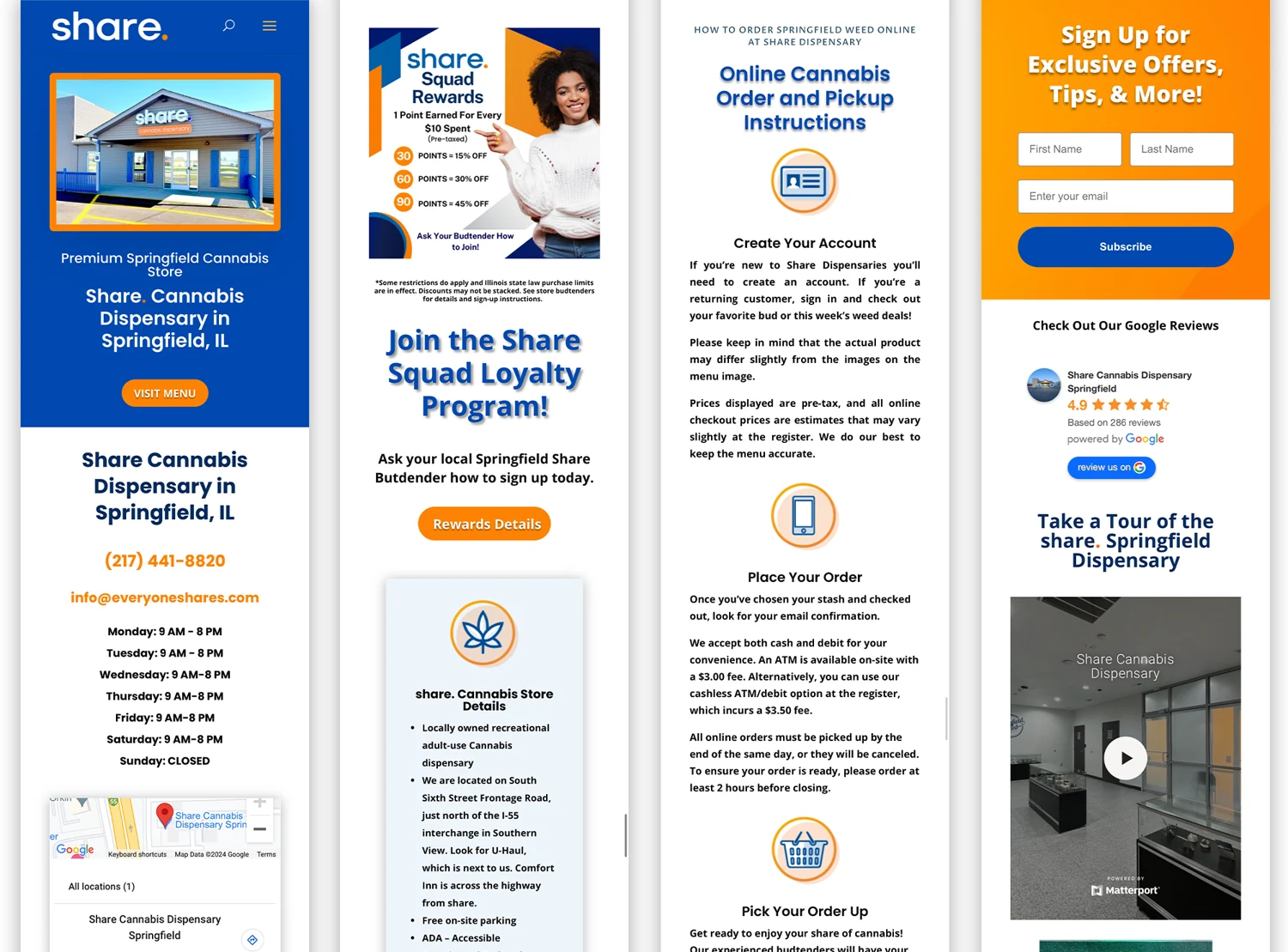
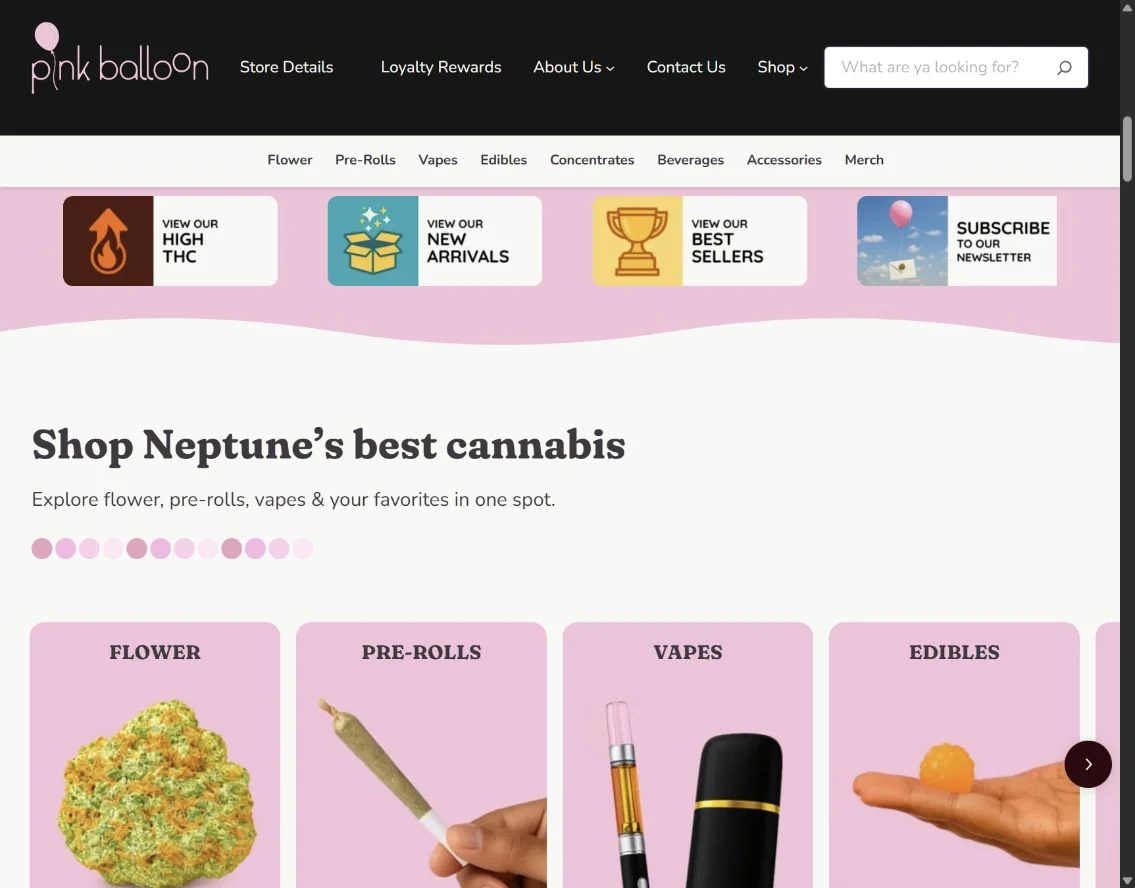
Our Pink Balloon case study shows how several responsibilities can sit inside one website engagement. The client needed a custom dispensary experience before opening. AV Social built the website and ecommerce, then took over branding and design and connected search and loyalty signup. The published case describes a connected launch experience ahead of the late-August 2026 opening. It illustrates scope across disciplines; it provides no project price and is not a benchmark for another business's budget.

Include content, approvals and the cost of unresolved decisions
A proposal can look inexpensive when it assumes your team will supply finished copy, clean product data and approved images. That may be the right arrangement. It needs to be visible alongside an estimate that includes those activities.
Inventory the source material before agreeing to a migration or content allowance. Identify duplicates, obsolete offers, missing specifications, documents that must become usable pages and material that requires subject-matter review. Moving content and improving content are separate responsibilities.
Set a business approver and an agreed review process. Consolidated feedback is easier to act on than conflicting instructions from several departments. If a decision changes after its related design or development has been approved, ask how the agency assesses the impact before doing the additional work.
Keep uncertain requirements in a decision register with an owner, a resolution date and the effect on the estimate. A bounded discovery phase can be useful when the uncertainty concerns the core architecture or integration. It should produce information that supports a decision, rather than an indefinite subscription to planning.
Put comparable proposals beside each other
Use this worksheet during proposal review. Fill it from the written proposal and ask the agency to resolve empty or ambiguous cells. A blank estimate is a question to answer, not a zero-cost allowance.
Compare the initial project over the same scope and the ongoing arrangement over the same time period. Keep agency work, direct provider charges and your internal contribution separate. Check whether quoted amounts include applicable taxes and pass-through charges in the actual proposal.
To calculate comparable cash commitments, choose the same start date and review period for both proposals. Add the one-time project charges, recurring agency charges due during that period, and provider or license charges due during it. Include a renewal only when it falls within the period. If a license is already included in the agency fee, do not add it again.
Keep three figures visible: confirmed external charges, unresolved allowances, and internal effort. You can estimate internal effort as planned hours multiplied by your own loaded hourly cost, but show it separately from new cash spending. Do not treat an unpriced integration or unknown renewal as zero. A total with unresolved costs is a known subtotal, not a complete budget.
| Comparison item | Proposal A | Proposal B |
|---|---|---|
| Included outcomes and page types | ________________ | ________________ |
| Content creation and migration responsibility | ________________ | ________________ |
| Integrations and acceptance tests | ________________ | ________________ |
| Review rounds and change process | ________________ | ________________ |
| Assumptions, dependencies and exclusions | ________________ | ________________ |
| One-time agency estimate | ________________ | ________________ |
| Recurring agency scope and billing period | ________________ | ________________ |
| Licenses/provider charges and renewal owners | ________________ | ________________ |
| Internal work and required approvers | ________________ | ________________ |
| Handover, account access and post-launch scope | ________________ | ________________ |
| Common comparison start date and end date | ________________ | ________________ |
| Known external charges within that period | ________________ | ________________ |
| Unpriced requirements or allowances still unresolved | ________________ | ________________ |
| Internal effort estimate, shown separately | ________________ | ________________ |
Your working worksheet
Compare the cost of two proposals
Enter the costs actually included in each written proposal. Change the comparison period to see how the known commitments accumulate, then download the worksheet for your scope discussion.
Your entries stay in this page. This tool does not send or save them. Download your worksheet to keep a copy; reloading the page clears your entries.
Enter all four amounts, including 0 when an amount is explicitly zero. A blank amount is unknown. Known commitment = one-time amount + monthly amount × months.
Enter all four amounts and a valid period to compare known commitments.
Assumptions and calculation notes
- Use USD and the same scope for both proposals. The chart compares the amounts you enter; it does not price a website or recommend the cheaper option.
- Known commitment = one-time amount + actual constant monthly amount × whole months. Include charges due during the selected period only. Do not divide an upfront annual charge into monthly amounts; compare annual and irregular charges separately.
- Enter zero only when the proposal explicitly includes no charge. An unknown or excluded cost is not zero; obtain that amount before treating this as a complete comparison.
- Check taxes, annual renewals, usage charges, payment fees, internal staff time, third-party services, contract minimums and changes in scope separately. These are not added automatically.
Worked example: two proposals for the same B2B website
Consider a hypothetical distributor replacing its WordPress site. It has 60 product pages, eight service pages and a quote form that must reach its sales system.
Proposal A includes a visual redesign, development of three page types and transfer of the existing copy. The client supplies normalized product data and configures the sales-system connection. Proposal B includes product-content restructuring, a new quote workflow, routing rules and a joint test with sales. Both proposals may accurately say “custom WordPress website.” They do not yet describe the same responsibility.
Leadership should first decide whether the content and inquiry workflow need changing. If the existing process works, some of Proposal B's scope may be unnecessary. If lost product context and unassigned inquiries are the main problems, Proposal A's exclusions matter more than its smaller total.
Ask both agencies to identify a comparable core scope. Record optional work separately, name the work retained internally, and confirm how the quote flow will be accepted. Enter the actual estimates only after those decisions. The purpose is to compare the cost of solving the agreed problem, including work that otherwise remains with your team.
Account for launch and the work after it
When a redesign changes page addresses, continuity is part of the project. Google's site-move guidance describes preparing URL mappings, redirects and monitoring. Ask which pages will retain their addresses and who owns the changed ones. Do not assume launch support includes every search-continuity task. Ask for a list of old and intended new addresses, the redirect owner, and a check that important old links reach the appropriate destination. A redirect plan is a continuity deliverable, not a promise that rankings will remain unchanged.
List recurring software and service commitments individually: hosting, licensed extensions, connected services and any agreed monitoring or support. Confirm who holds the account, receives renewal notices and can change providers. Check current vendor terms against the actual requirements; a generic allowance can conceal an essential dependency.
Routine upkeep and ongoing improvement need separate descriptions. WordPress's update guidance recommends having a backup before updating. Beyond that platform guidance, your working agreement should identify who performs updates, checks important workflows and handles a failed change. Hosting or a specialist provider may own part of that work.
An improvement relationship should explain how new development, design, search and conversion work is selected and limited. Avoid comparing a small maintenance allowance with an engagement that includes those disciplines as though both buy the same service. Request the backlog process, available capacity, dependencies and what needs a separately scoped project.
Bring a scope brief to the budget conversation
A useful first conversation includes the business goal, important customer tasks, known systems, current ownership gaps and decision timing. Share any constraints on investment and internal availability so the agency can discuss a workable scope. Ask what it can estimate now and what evidence it needs before committing.
At AV Social, we connect WordPress development, design, search and integration work around the website's business role. We can help distinguish a defined project from continuing improvement and make the responsibilities explicit. Explore our WordPress services or talk with our team about your requirements.
If you are comparing partners as well as proposals, use our agency-selection guide and scorecard to examine delivery evidence, ownership and handover alongside the budget.
Your one-page budget brief
- The customer tasks and business problems the work should address.
- What should stay, change, be added or be investigated.
- Required systems, content sources and third-party dependencies.
- Your team's contribution, business approver and decision dates.
- The questions every proposal must answer before totals can be compared.
Sources and further reading
Platform documentation supports the technical guidance above. The worksheets are AV Social's decision aids; their outputs use your entries and the stated assumptions.